Progressive Web Apps: Offline First Strategy & Service Workers
Build a PWA that works offline for real: caching strategies, service worker code, IndexedDB sync, iOS limits and a readiness scorecard.
6 Nov 2026·22 min read·General
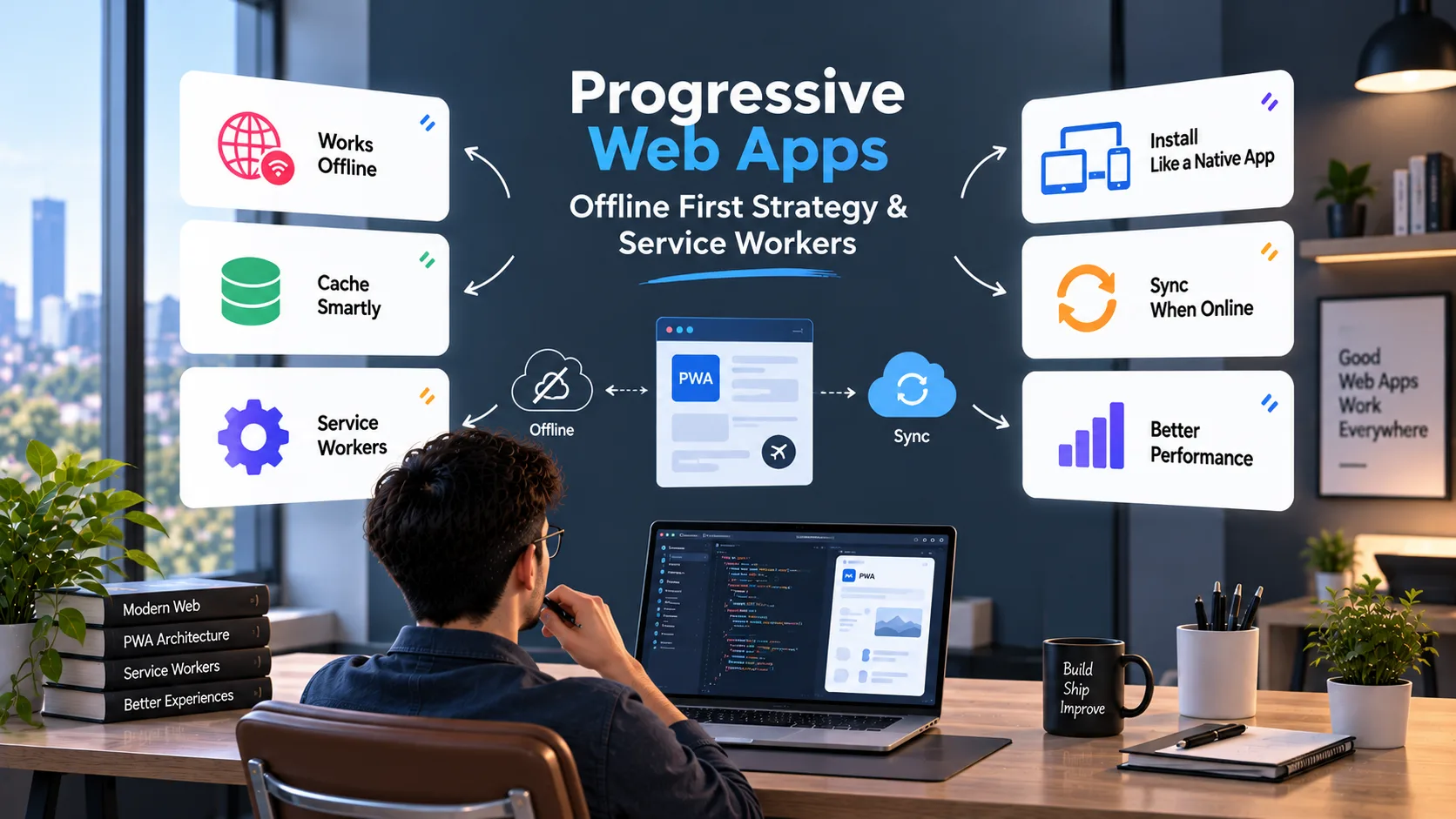
A PWA can pass every install check and still show a blank screen when someone opens it in a lift. The cause is almost always the same: the team cached the app shell and called it offline support. The data, the form submissions and the update path were never designed for a dead network.
Offline-first fixes that by flipping the default. The device is where the app reads and writes first, and the network is a sync target that shows up when it can. Lighthouse retired its PWA category in version 12, so there is no longer a badge to hide behind. What remains is whether the app holds up when the connection does not.
This guide covers the decisions that matter, in the order we would make them: how far offline should go, which caching strategy fits which request, how to store and sync data safely, where iOS bends the rules, and how to test all of it.
Key takeaways
Choose an offline tier per feature before writing code. Most apps need tier 1 for reads and tier 2 wherever users create records.
The service worker owns the shell and cached reads. IndexedDB plus an outbox owns writes.
Route by request type, time out network-first requests, and cache only successful GET responses.
Sync with idempotency keys, an ordered flush and a dead-letter store. Background Sync is Chromium-only, so it can only ever be a bonus.
On iOS, expect no Background Sync, a 7-day storage rule for Safari tabs, and better behavior once the app is installed and storage is persistent.
Test hanging connections, tabs killed mid-sync and updates that arrive while offline.
How the pieces fit
  UI ──── reads / writes ────▶ IndexedDB ── records + outbox queue
   │                               │
   │                               └─ flush: app start · online · visibilitychange · Background Sync
   │                                         │
   └── page and asset requests ──▶ Service worker ──▶ Cache API (shell, pages, cached GETs)
                                       │
                                       └─ network, when it is there ──▶ Server (idempotent, versioned)
What offline-first actually means
Offline-first is three separate problems that get bundled under one label.
Layer | What it covers | Tool | What breaks if you skip it |
|---|---|---|---|
Shell | HTML, JS, CSS, fonts, icons | Service worker + Cache API | App will not launch offline |
Reads | Content and API responses | Cache API or IndexedDB | Launches, then shows empty screens |
Writes | Edits, form submissions, uploads | IndexedDB outbox + sync | Data typed offline is lost |
In our read, plenty of "offline" PWAs stop at the first row, some reach the second, and few build the third properly. The third is the one users notice, because losing something they typed feels like a bug in the product rather than a network problem.
Pick your offline tier before you write code
The right amount of offline support depends on what stale or lost data costs your users. A blog and a field-inspection app need very different things.
Tier | Works offline | Typical fit | Rough effort (our estimate) |
|---|---|---|---|
0 | A branded offline page | Marketing sites, blogs | Hours |
1 | Pages and data already visited | Docs, news, catalogs | Days |
2 | Reads plus queued writes | Field forms, CRM notes, task apps | Weeks |
3 | Full local-first with merge logic | Collaborative editors, note apps | Months |
Take an inspection app used in basements and plant rooms. An inspector fills in 30 fields, attaches photos and walks out of the building before anything uploads. That is tier 2 at minimum. A tier 1 build would let the inspector read old reports offline and lose the new one, which is the exact failure the app exists to prevent.
Most teams should aim for tier 1 on content-heavy surfaces and tier 2 on anything where users create records. Tier 3 is a product decision, not a service worker decision.
Service worker lifecycle: the part that causes production bugs
A service worker is a script the browser runs separately from your page. It intercepts network requests and decides what to return. It only runs on HTTPS (plus localhost for development), and its scope is limited by where the script is served from, so /sw.js at the site root can control the whole origin. Serve sw.js itself with Cache-Control: no-cache, or a stale copy of the worker can delay every future update.
It moves through three stages: install, wait and activate.
Install: fires once per new version. Use it to precache the shell.
cache.addAll()is atomic, so a single failed URL aborts the whole install and the old worker keeps running.Waiting: a new worker does not take over while tabs controlled by the old one are open.
Activate: the new worker takes control. Use it to delete old caches.
The shortcut most tutorials teach is skipWaiting() plus clients.claim(), which forces the new worker in immediately. It causes a nasty bug. The open page is still running old JavaScript, the new worker's activation deletes the old cache, and the page starts requesting hashed files that no longer exist. Users see broken screens until they reload.
The safer pattern is to let the page decide. Ship a "new version available" prompt, and only skip waiting when the user accepts.
js
// app.js — register and handle updates
const reg = await navigator.serviceWorker.register('/sw.js');

// A worker may already be waiting from an earlier visit; updatefound will not fire for it
if (reg.waiting && navigator.serviceWorker.controller) {
  showUpdateToast(() => reg.waiting.postMessage('SKIP_WAITING'));
}

reg.addEventListener('updatefound', () => {
  const incoming = reg.installing;
  incoming.addEventListener('statechange', () => {
    const isUpdate = incoming.state === 'installed' && navigator.serviceWorker.controller;
    if (isUpdate) {
      showUpdateToast(() => incoming.postMessage('SKIP_WAITING'));
    }
  });
});

let reloading = false;
navigator.serviceWorker.addEventListener('controllerchange', () => {
  if (reloading) return;
  reloading = true;
  location.reload();
});
Caching strategies: match the strategy to the request
No single strategy fits a whole app. Route by request type.
Strategy | Use it for | Failure mode to watch |
|---|---|---|
Cache-first | Fingerprinted JS, CSS, fonts | Stale forever if filenames are not hashed |
Network-first with timeout | HTML navigations, API reads | Hanging requests on bad connections if there is no timeout |
Stale-while-revalidate | Images, non-critical JSON | Users see one-version-old data |
Network-only | Auth, payments, analytics beacons | No offline behavior, by design |
Cache-only | The precached offline page | Missing if precache failed |
The timeout on network-first matters more than it looks. On a weak connection the request does not fail, it hangs. Without a timeout the user stares at a spinner and the cached copy sitting on the device never gets used. Three seconds is a reasonable starting point for API reads. Tune it against your own latency data.
Here is a compact service worker that applies those rules. Names and paths are placeholders, and the precache list should come from your build output so it contains the fingerprinted filenames rather than hand-typed ones.
js
// sw.js — bundle this file (esbuild, Vite, webpack) so the `idb` import used by sync.js resolves
import { flushOutbox } from './sync.js';

const VERSION = 'v14';
const SHELL = `shell-${VERSION}`;
const PAGES = `pages-${VERSION}`;
const API = `api-${VERSION}`;
const IMAGES = `images-${VERSION}`;
const KEEP = new Set([SHELL, PAGES, API, IMAGES]);

// Generate this from your build manifest, e.g. ['/', '/assets/app.3f9a1c.css', '/assets/app.8be204.js', ...]
const PRECACHE = ['/', '/assets/app.3f9a1c.css', '/assets/app.8be204.js', '/offline.html', '/icons/icon-192.png'];

self.addEventListener('install', (event) => {
  event.waitUntil(caches.open(SHELL).then((c) => c.addAll(PRECACHE)));
});

self.addEventListener('activate', (event) => {
  event.waitUntil((async () => {
    await self.registration.navigationPreload?.enable();
    for (const name of await caches.keys()) {
      if (!KEEP.has(name)) await caches.delete(name);
    }
    await self.clients.claim();
  })());
});

self.addEventListener('message', (e) => {
  if (e.data === 'SKIP_WAITING') self.skipWaiting();
});

self.addEventListener('fetch', (event) => {
  const { request } = event;
  if (request.method !== 'GET' || request.headers.has('range')) return;

  const url = new URL(request.url);
  if (url.origin !== location.origin) return;

  if (request.mode === 'navigate') return event.respondWith(pageStrategy(event));
  if (url.pathname.startsWith('/api/')) return event.respondWith(networkFirst(request, API, 3000));
  if (request.destination === 'image') return event.respondWith(staleWhileRevalidate(event, IMAGES));
  // Cache-first only for fingerprinted build output. Anything else falls through to the network.
  if (url.pathname.startsWith('/assets/')) return event.respondWith(cacheFirst(request, SHELL));
});

self.addEventListener('sync', (event) => {
  if (event.tag === 'outbox') event.waitUntil(flushOutbox());
});

async function pageStrategy(event) {
  const cache = await caches.open(PAGES);
  try {
    const res = (await event.preloadResponse) || (await fetch(event.request));
    if (res.ok) event.waitUntil(cache.put(event.request, res.clone()));
    return res;
  } catch {
    return (await cache.match(event.request)) || (await caches.match('/offline.html'));
  }
}

async function cacheFirst(request, cacheName) {
  const cache = await caches.open(cacheName);
  const hit = await cache.match(request);
  if (hit) return hit;
  const res = await fetch(request);
  if (res.ok) cache.put(request, res.clone());
  return res;
}

async function networkFirst(request, cacheName, timeoutMs) {
  const cache = await caches.open(cacheName);
  const ctrl = new AbortController();
  const timer = setTimeout(() => ctrl.abort(), timeoutMs);
  try {
    const res = await fetch(request, { signal: ctrl.signal });
    if (res.ok) cache.put(request, res.clone());
    return res;
  } catch {
    const hit = await cache.match(request);
    return hit || new Response(JSON.stringify({ error: 'offline' }), {
      status: 503,
      headers: { 'Content-Type': 'application/json' },
    });
  } finally {
    clearTimeout(timer);
  }
}

async function staleWhileRevalidate(event, cacheName) {
  const cache = await caches.open(cacheName);
  const hit = await cache.match(event.request);
  const refresh = fetch(event.request)
    .then((res) => { if (res.ok) cache.put(event.request, res.clone()); return res; })
    .catch(() => null);
  event.waitUntil(refresh); // keeps the worker alive after we return the cached copy
  return hit || (await refresh) || Response.error();
}
A few details in that code are worth calling out, because they are where hand-written workers usually go wrong:
Only cache
res.ok. Caching a 500 or a login redirect means serving it offline for weeks.event.waitUntilon the background refresh. Without it the browser can stop the worker before the revalidation finishes.Navigation preload. Starting the network request while the worker boots removes the startup delay that otherwise slows every navigation.
Skip range requests. Partial
206responses cannot be stored withcache.put, and audio or video will fail in strange ways if you try.Skip cross-origin and non-GET. Caching a POST is never what you want.
Mind what you cache for signed-in users. The page and API strategies above store authenticated responses on the device. Clear the runtime caches (
caches.delete) and the IndexedDB stores on logout, and do not cache personalized responses at all on shared devices.
If you would rather not own this code, Workbox (7.x at the time of writing) packages the same strategies as routing helpers and handles precache manifests from your build. Hand-written is fine for a small shell. Once you have more than a handful of routes, Workbox saves you from maintaining invalidation logic yourself. The same routing in Workbox looks like this:
js
// sw.js with Workbox 7
import { precacheAndRoute, cleanupOutdatedCaches } from 'workbox-precaching';
import { registerRoute } from 'workbox-routing';
import { NetworkFirst, StaleWhileRevalidate, NetworkOnly } from 'workbox-strategies';
import { ExpirationPlugin } from 'workbox-expiration';
import { BackgroundSyncPlugin } from 'workbox-background-sync';

cleanupOutdatedCaches();
precacheAndRoute(self.__WB_MANIFEST); // injected at build time by workbox-build or your bundler plugin

registerRoute(
  ({ url }) => url.pathname.startsWith('/api/'),
  new NetworkFirst({ cacheName: 'api', networkTimeoutSeconds: 3 })
);

registerRoute(
  ({ request }) => request.destination === 'image',
  new StaleWhileRevalidate({
    cacheName: 'images',
    plugins: [new ExpirationPlugin({ maxEntries: 60, maxAgeSeconds: 30 * 24 * 60 * 60 })],
  })
);

registerRoute(
  ({ url }) => url.pathname.startsWith('/api/'),
  new NetworkOnly({
    plugins: [new BackgroundSyncPlugin('api-writes', { maxRetentionTime: 24 * 60 })], // minutes
  }),
  'POST'
);
Note what the last route does and does not give you. Workbox replays failed requests later, which covers simple fire-and-forget writes. It does not give you optimistic UI, ordering guarantees across records or conflict screens. For tier 2 apps, the IndexedDB outbox below is still the right foundation.
Store data in IndexedDB, not in the Cache API
The Cache API stores HTTP responses. It is the wrong place for records your app creates and edits. Use IndexedDB for that, ideally through the small idb wrapper so you get promises instead of request callbacks.
Two design choices decide whether sync works later:
Generate IDs on the client. Use
crypto.randomUUID(). Auto-increment keys collide the moment two offline devices create records.Write the record and its outbox entry in one transaction. Either both exist or neither does.
js
// db.js
import { openDB } from 'idb';
import { requestSync } from './sync-triggers.js';

export const dbPromise = openDB('inspections-app', 1, {
  upgrade(db) {
    const records = db.createObjectStore('inspections', { keyPath: 'id' });
    records.createIndex('by-updated', 'updatedAt');
    db.createObjectStore('outbox', { keyPath: 'seq', autoIncrement: true });
  },
});

export async function saveInspection(input) {
  const db = await dbPromise;
  const isNew = !input.id;
  const record = {
    ...input,
    id: input.id ?? crypto.randomUUID(),
    updatedAt: Date.now(),
    pending: true,
  };

  const tx = db.transaction(['inspections', 'outbox'], 'readwrite');
  tx.objectStore('inspections').put(record);
  tx.objectStore('outbox').add({
    idempotencyKey: crypto.randomUUID(),
    method: isNew ? 'POST' : 'PUT',
    url: isNew ? '/api/inspections' : `/api/inspections/${record.id}`,
    ifMatch: input.etag ?? null,
    body: record,
    createdAt: Date.now(),
  });
  await tx.done;

  requestSync();
  return record;
}
The UI reads from inspections and shows a "pending" marker for rows with pending: true. The user never waits on the network to see their own change.
Sync: the outbox pattern, done safely
The outbox is a queue of writes waiting to reach the server. Flushing it sounds simple and has four traps.
Trap 1: holding a transaction open across a fetch. IndexedDB transactions auto-commit when the event loop has nothing queued for them. If you await fetch() inside a transaction, it closes underneath you. Read the queue first, finish the transaction, then do network calls, then open a new short transaction to delete each sent item.
Trap 2: duplicate writes. A request can reach the server and the response can be lost on the way back. The client retries and the server creates a second record. Send an Idempotency-Key header and have the server return the original result for a key it has already seen. The server must check that key before it checks If-Match, otherwise a retried update whose first attempt actually succeeded comes back as a false 409 conflict.
Trap 3: one poison item blocking the queue. If the server rejects an item with a 4xx, retrying forever stalls everything behind it. Park permanent failures in a dead-letter store and surface them to the user.
Trap 4: two tabs flushing at once. Use the Web Locks API so only one flush runs at a time.
js
// sync.js
import { dbPromise } from './db.js';

export function flushOutbox() {
  return navigator.locks.request('outbox-flush', { ifAvailable: true }, (lock) =>
    lock ? runFlush() : undefined
  );
}

async function runFlush() {
  const db = await dbPromise;
  const items = await db.getAll('outbox'); // transaction ends here

  for (const item of items) {
    let res;
    try {
      res = await fetch(item.url, {
        method: item.method,
        headers: {
          'Content-Type': 'application/json',
          'Idempotency-Key': item.idempotencyKey,
          ...(item.ifMatch && { 'If-Match': item.ifMatch }),
        },
        body: JSON.stringify(item.body),
      });
    } catch {
      throw new Error('offline'); // stop here, keep order, retry later
    }

    if (res.ok) {
      await db.delete('outbox', item.seq);
      await markSynced(db, item, await res.json());
    } else if (res.status === 409) {
      await db.delete('outbox', item.seq);
      await parkConflict(db, item, await res.json()); // user resolves it
    } else if (res.status >= 400 && res.status < 500 && res.status !== 408 && res.status !== 429) {
      await db.delete('outbox', item.seq);
      await deadLetter(db, item, res.status);
    } else {
      throw new Error(`retry:${res.status}`); // 5xx, 408, 429: back off and try again
    }
  }
}
The code assumes the server answers a successful write with the saved record as JSON, including its version tag. Three small helpers do the bookkeeping, and each has one rule worth stating:
markSyncedclears thependingflag and stores the server's version tag. If a later edit to the same record is still in the outbox, leave the local copy alone, or the server response will overwrite the newer edit.parkConflictstores both versions so the UI can show a merge screen.deadLetterkeeps the failed item and its status code visible in a "needs attention" list instead of deleting it.
One record, end to end
Here is what happens to a single inspection record in the field app from earlier. Every row is a state the code above has to survive.
Moment | What the app does | Where the data lives |
|---|---|---|
Inspector taps Save in a basement | Writes the record with | IndexedDB only |
Signal flickers in a corridor and the request hangs | The fetch fails or times out, the flush stops, the outbox is untouched | IndexedDB only |
Inspector walks outside | The | IndexedDB, request in flight |
Server saves the record, but the response is lost | The outbox item stays. The retry carries the same | Server has it, device does not know |
Retry reaches the server | Server returns the original result. The app deletes the outbox item and clears | Both agree |
A colleague edited the same record meanwhile | Server answers 409. The app stores both versions and shows a merge screen | Both versions kept |
Triggering the flush
Background Sync is the obvious trigger, and it has a hard limit: it works in Chromium browsers only. Firefox and Safari do not support it, and the Firefox position is formally negative. Treat it as a bonus on Chrome and Edge, not as the mechanism.
The reliable setup uses several triggers together:
js
// sync-triggers.js
import { flushOutbox } from './sync.js';

export async function requestSync() {
  const reg = await navigator.serviceWorker.ready;
  if ('sync' in reg) {
    try { await reg.sync.register('outbox'); return; } catch { /* fall through */ }
  }
  flushOutbox().catch(() => {});
}

addEventListener('online', requestSync);
document.addEventListener('visibilitychange', () => {
  if (document.visibilityState === 'visible') requestSync();
});
requestSync(); // on every app start
The sync listener lives in sw.js, as shown in the worker above. When flushOutbox rejects inside waitUntil, Chromium treats the sync as failed and schedules another attempt once connectivity returns, with exponential back-off between attempts. On other browsers the app-start, online and visibilitychange triggers cover the gap. Workbox's background-sync plugin follows the same logic: on browsers without the API it replays the queue when the worker next starts.
One more detail: flushOutbox returns quietly if another tab already holds the lock. That is fine, because the tab holding the lock is doing the work, but it is the reason the page-side triggers matter even on Chrome.
Conflicts: choose a rule before users find the edge case
Two people edit the same record offline, and both sync later. Something has to give.
Approach | Good for | Catch |
|---|---|---|
Last write wins | Single user across several devices, low-stakes data | Client clocks drift, so compare server-issued timestamps or versions, not device time |
Version check ( | Forms, records, anything with a clear owner | Needs a merge or "keep mine / keep theirs" screen |
Field-level merge | Structured records where users touch different fields | Server must track changes per field |
CRDTs | Real-time collaborative text and lists | Heavy to adopt, hard to retrofit |
Our default for tier 2 apps is the version check. It is honest, the server stays authoritative, and the merge screen is a one-time cost. Last-write-wins is tempting because it needs no UI, and it quietly deletes someone's work.
iOS and Safari: the constraints that change your design
WebKit is where offline-first assumptions get tested hardest, and in most regions every iOS browser runs on it.
No Background Sync. Your outbox must flush from app start,
onlineandvisibilitychange. Design for "syncs when the user opens the app", because that is what iOS users get.The 7-day rule. Under WebKit's tracking prevention, script-writable storage in Safari, including IndexedDB and service worker registrations and caches, can be deleted when the user has not interacted with the site for seven days. Interaction means a click, tap or key press; scrolling does not count. Home Screen web apps are exempt for their own domain. For an offline-first app this matters most for the outbox: unsynced work sitting in a Safari tab is not safe indefinitely.
Eviction pressure. Separately, WebKit's storage policy lets the system evict whole origins under storage pressure, least recently used first, unless the origin is in persistent mode. It grants
navigator.storage.persist()requests based on heuristics such as whether the site runs as a Home Screen web app. Callpersist()after the user does something that creates valuable local data, and checknavigator.storage.persisted()before you promise anything.Install matters more. Push notifications on iOS only work for web apps added to the Home Screen, and installed apps escape the 7-day rule. If your users are on iPhones, an install prompt is part of the offline strategy, and so is showing a visible "unsynced changes" count.
Quotas vary. Use
navigator.storage.estimate()to read usage and quota at runtime, and handleQuotaExceededErroron every write path. Trim image caches first and never trim the outbox.
js
// Ask for durable storage after the first meaningful local save
if (navigator.storage?.persist && !(await navigator.storage.persisted())) {
  await navigator.storage.persist();
}
const { usage, quota } = await navigator.storage.estimate();
Test offline the way users experience it
The Offline checkbox in DevTools is the easiest test and the least realistic. Real failures look different.
Lie-fi. The device reports a connection, but requests hang. Use network throttling with very high latency, and confirm your timeout kicks in and the cached copy appears.
Kill mid-flush. Start a sync with five queued items, close the tab after two, reopen, and confirm there are no duplicates and no losses.
Update while offline. Deploy a new version, load the app offline on the old one, come back online, and confirm the update prompt appears and nothing 404s.
Automate the basics. Playwright can toggle
context.setOffline(true)and can route or abort requests, including those made by the service worker itself, which makes "can the app launch and save offline" a regression test rather than a manual ritual. Confirm in your own setup that the offline switch really reaches service worker requests, and fall back tocontext.routewith an abort if it does not.
If a coding agent wrote your service worker, review it harder than the rest of the diff. A bug here is unusually sticky, because the broken worker is the one controlling the page and can keep serving stale files for weeks. Cursor and Claude Code will both scaffold one in minutes, and our Cursor vs Claude Code comparison covers how they differ for that kind of delegated work. Whichever you use, check four things before merging:
Cache names are versioned and old caches are deleted on activate.
Only successful, same-origin GET responses are cached.
The update path asks the user instead of forcing
skipWaitingmid-session.Nothing authenticated survives logout.
Choosing a tool is a separate question, and our AI developer tools category lays out how we weigh context handling and review legibility.
Measure whether offline is working
Ship the feature, then watch four numbers:
Outbox depth: how many items are waiting, and for how long. A rising median wait is the earliest sign sync is broken.
Sync success rate: share of items that reach the server on the first flush.
Dead-letter rate: items rejected for good. Anything above a rounding error is a validation bug between client and server.
Update adoption: how many sessions run the latest worker version after 24 hours.
Send these events through your product analytics, with the original client timestamp attached so a sync that lands six hours late does not look like six hours of activity. A tool such as PostHog handles that kind of funnel and cohort view well, and the important part is the timestamp discipline, not the vendor.
Offline-first also changes your performance story. Repeat visits become close to instant, but the first visit still pays full price, and that is the visit that decides whether anyone returns. The web performance techniques that move Core Web Vitals in 2026 still apply to the shell you are precaching: a bloated shell makes the install step slower and the cache heavier.
A build order that avoids rework
Teams that build the outbox first and the shell last tend to redo both. This order keeps each step shippable:
Shell and offline page. Precache the fingerprinted build output and
offline.html, with cache-first for/assets/. Ship it behind a version constant.Navigations and reads. Add network-first with a timeout for pages and API GETs, plus the update prompt.
One write path. Pick the single most valuable write (the inspection form, the support note, the order) and give it the full outbox treatment: client IDs, idempotency key, ordered flush.
Failure handling. Add the dead-letter list, the conflict screen and an unsynced-changes indicator.
Hardening. Persistent storage request, quota handling, logout cleanup and the lie-fi and mid-flush tests.
Offline readiness scorecard
Tick what you can honestly say is true today. One point each.
The offline tier is decided per feature, in writing.
Every cache name is versioned and old ones are deleted on activate.
Static assets are fingerprinted, so cache-first is safe.
Network-first requests have a timeout.
Only
ok, same-origin GET responses are cached.Records get client-generated IDs, written in the same transaction as their outbox entry.
Writes carry idempotency keys and the server dedupes on them.
4xx failures and conflicts land where the user can see them.
The outbox flushes from app start,
onlineandvisibilitychange, with Background Sync as a bonus.Updates are prompted, not forced mid-session.
Persistent storage is requested, quota errors are handled and unsynced counts are visible.
sw.jsis served withno-cache, and caches and local data are cleared on logout.Lie-fi, mid-flush kills and offline updates have been tested.
12–13: ready to ship. 8–11: ship the read-only tiers and hold back offline writes until the gaps close. Under 8: fix the basics first, because the failures will show up as lost user data.
Questions
Frequently asked questions
What is the difference between a PWA and an offline-first app?
A PWA is an installable web app with a manifest and a service worker. Offline-first is an architecture choice about where data lives and how it syncs. A PWA can be network-first and fall apart offline. An offline-first app is usually built as a PWA because the service worker is what lets the shell load without a connection.
Do I need a service worker to make a web app work offline?
For the app to launch offline, yes. Only a service worker can serve your HTML and assets when the network is gone. IndexedDB can store data without one, but without a worker the browser has nothing to load the app from.
Cache API or IndexedDB: which should I use?
Use the Cache API for HTTP responses such as pages, scripts, images and cacheable API reads. Use IndexedDB for records the app creates, edits and queries. If users can change it, it belongs in IndexedDB with an outbox.
Does Background Sync work on iOS Safari?
No. It is available in Chromium browsers only. On iOS, flush your queue when the app opens, when the page becomes visible and when the online event fires.
How do I update a service worker without breaking users?
Version your caches, keep the new worker in the waiting state, and show a prompt that triggers skipWaiting when the user accepts, followed by a reload on controllerchange. Forcing activation mid-session risks the page requesting files the new worker already deleted.
How much data can a PWA store offline?
It depends on the browser, the device and free disk space. Read the real number at runtime with navigator.storage.estimate(), request persistent storage for data users cannot afford to lose, and catch QuotaExceededError on every write.
Should I use Workbox or write the service worker by hand?
Write it by hand for a small shell with a few routes, since the worker above is about 100 lines. Move to Workbox when you have many routes, build-generated precache manifests or a need for its background sync queue. Either way, the strategy decisions in this guide are the same.
Is offline-first worth it for a content site?
Usually tier 0 or 1 is enough: an offline page and cached pages the reader has already visited. A full outbox and conflict handling pay off when users create data in places with unreliable signal.
Final verdict
Offline-first is worth building, but only as far as your data demands. Most apps do well with tier 1 for reads and tier 2 for the one or two features where users create records. Tier 3 belongs to collaborative products, and a content site rarely needs more than an offline page and cached visited pages.
What separates the PWAs that hold up from the ones that only pass install checks is small: every write gets an outbox entry and an idempotency key, users decide when updates land, and the app is tested on a connection that hangs rather than one that is cleanly off. Score 12 or more on the scorecard above and you have an offline-first app; below that, you have an app with a cache. Start at tier 1, treat iOS as a design constraint, and promote only the features whose lost data would hurt.
WebTechOS accepts no payment for coverage, placement or scores. Where a piece references pricing, it reflects published list rates at the date shown.
Keep reading
All insights →I tried 7 Discord alternatives to find the best platform (2026)
We tested 7 Discord alternatives, from Slack to Google Chat, as both an admin and a member. See which platform actually fits your community in 2026.
The Best Customer Service Automation Platforms for Mid-Market Teams
Compare the best customer service automation platforms for mid-market teams: features, trade-offs, and how to choose one that scales.
ChatGPT vs Grok: Which Is Better for Coding, Writing and Research?
ChatGPT vs Grok for coding, writing and research: independent test data, real costs per task and plan pricing, so you know which one to pay for.
ChatGPT vs Gemini: Which AI Assistant Wins in 2026?
ChatGPT vs Gemini in 2026: compare GPT-6 Sol and Gemini 4 Argon on writing, research, coding, price and privacy, and pick the right assistant.