Modern Web Performance Optimization Techniques in 2026
INP, AVIF, edge rendering, and AI crawler load: the web performance techniques that actually move Core Web Vitals in 2026
25 Sept 2026·13 min read·General
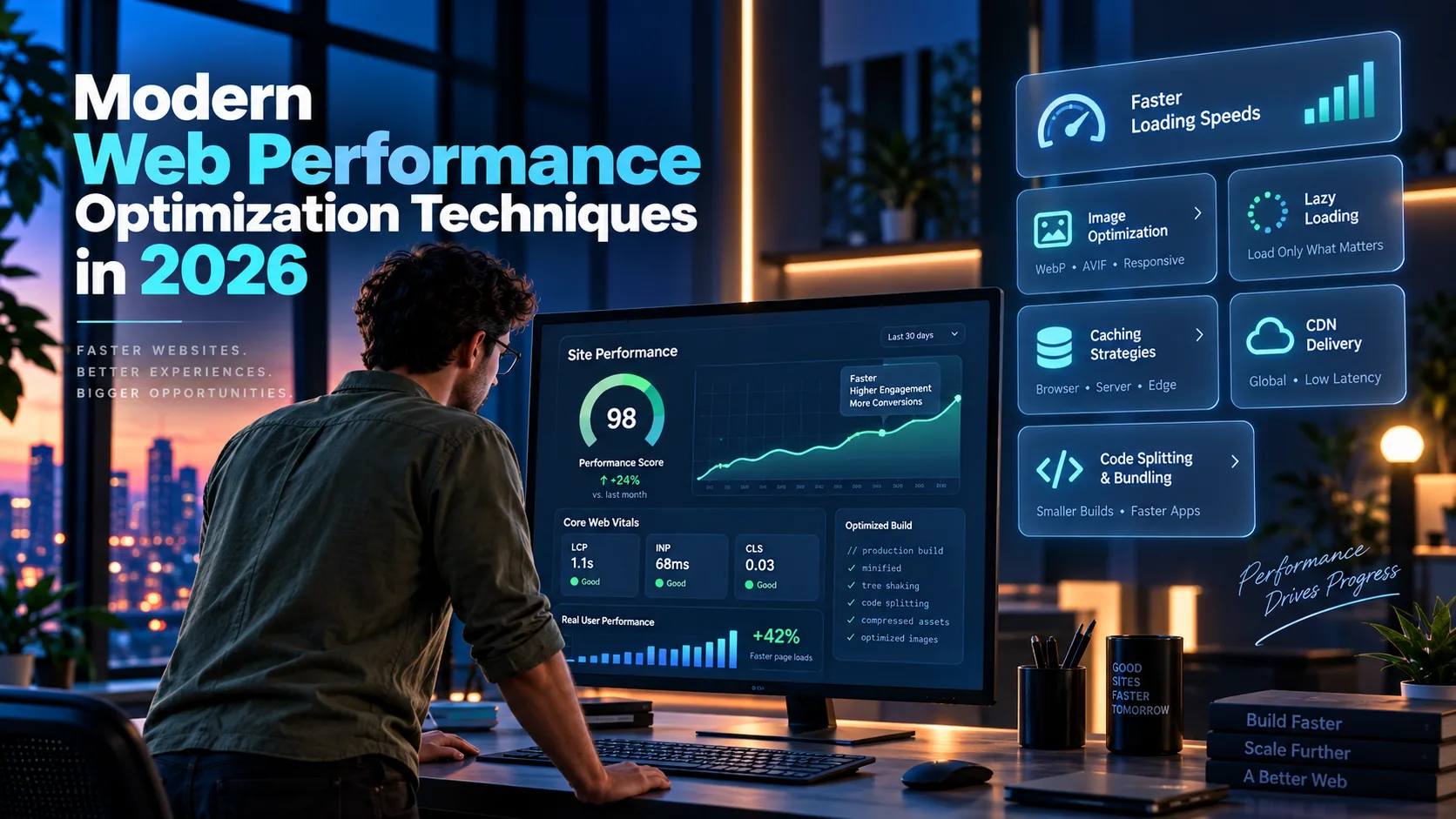
Something contradictory is true about the web in 2026. The median mobile page crossed 2.1MB this year, heavier than it has ever been, and Core Web Vitals pass rates also climbed to roughly six in ten origins, higher than they have ever been. Teams are not shipping lighter sites. They are shipping the same bloat more competently, with better image formats, less blocking JavaScript, and faster edges.
That is the current state of modern web performance optimization, and it changes which fixes are actually worth a sprint. Below is what is genuinely moving Core Web Vitals in 2026, including one problem almost nothing else is written about yet: AI crawlers eating a measurable slice of your server's attention before a single customer shows up.
The short version: Core Web Vitals thresholds haven't moved. LCP still needs to land under 2.5 seconds, INP under 200 milliseconds, and CLS under 0.1, each at the 75th percentile of visitors. What changed is how strictly Google measures them, and how much heavier the average page got while trying to pass anyway. AVIF has cleared the bar as the default image format. JavaScript, not images, is now the bigger threat to your score. And there's a problem this year that most 2024-era guides never mention: AI crawlers now make up a meaningful share of total requests on many sites, and if you're not caching for them separately, they're competing with your paying customers for the same server.
Why Core Web Vitals still decide the fight in 2026
Google's three Core Web Vitals haven't changed since Interaction to Next Paint (INP) replaced First Input Delay in March 2024. What changed in 2026 is how strictly Google measures them.
All three are field metrics, scored at the 75th percentile of Chrome users over a rolling 28-day window in the Chrome UX Report (CrUX), not a single Lighthouse run on your laptop:
Metric | Measures | Good | Needs improvement | Poor |
|---|---|---|---|---|
LCP | Loading speed | Under 2.5s | 2.5s–4.0s | Over 4.0s |
INP | Responsiveness | Under 200ms | 200ms–500ms | Over 500ms |
CLS | Visual stability | Under 0.1 | 0.1–0.25 | Over 0.25 |
A page only passes when at least 75 percent of visits hit "good" on all three at once, which is that same roughly-60-percent pass rate from a different angle: most sites are failing at least one metric for a meaningful slice of their traffic. Mobile still trails desktop by a wide margin, because the threshold was calibrated around mid-range phone hardware, not the machine your team tests on.
2026 also brought a quieter change that caught teams off guard. Google tightened the INP measurement to better capture sustained interaction latency, not just one bad click. It also expanded CrUX's soft-navigation tracking, so single-page apps now get scored on route changes, not only the first document load. If your INP moved without a code change, that's usually why. Re-measure with a current build of the web-vitals JS library before chasing a regression that might just be a scoring update.
The image pipeline: AVIF first, WebP as the fallback
Images are still the largest line item on most pages, and the format decision isn't close anymore:
Format | vs. JPEG | vs. WebP | Browser support (2026) |
|---|---|---|---|
WebP | ~25–35% smaller | baseline | 97%+ |
AVIF | ~45–55% smaller | ~20–30% smaller | 85%+ |
WebP's 97-percent-plus coverage makes it the only fallback layer worth maintaining. A JPEG fallback beyond that rarely earns its extra encode step for a modern B2B audience.
html
<picture>
  <source srcset="/img/hero.avif" type="image/avif">
  <source srcset="/img/hero.webp" type="image/webp">
  <img src="/img/hero.jpg" alt="Product dashboard screenshot" width="1600" height="900" fetchpriority="high">
</picture>
Three details in that markup matter more than the format choice itself:
widthandheight(oraspect-ratioin CSS) reserve the layout space before the image downloads. This is most of what keeps CLS under 0.1.fetchpriority="high"on your LCP element tells the browser to fetch it ahead of lower-priority requests in the same document. It's often the single biggest lever on LCP for image-heavy hero sections.loading="lazy"belongs on everything below the fold, never on the LCP image. Lazy-loading the hero image is a surprisingly common way teams delay their own LCP.
The median mobile home page weighed about 2.1MB in HTTP Archive's most recent Web Almanac, and images still make up the largest chunk of that. Fixing the format alone, without touching anything else, is usually the highest-return hour a team spends on performance this quarter.
JavaScript is the real threat to INP now
Images used to be the story. In 2026, JavaScript breaks INP. A long task, any script that runs more than 50ms without yielding, delays every click, tap, and keystroke that happens while it's running. Third-party tag managers, chat widgets, personalization scripts, and frameworks that hydrate an entire page at once are the usual suspects.
Cutting JavaScript output helps, but the bigger lever is giving the main thread more chances to breathe between tasks:
Break long tasks apart with
scheduler.yield()(or asetTimeout(fn, 0)fallback for older browsers), so a queued interaction doesn't wait for the whole task to finish.Code-split by route, not by convenience. A dashboard that ships its settings page's JavaScript on the login screen is paying an INP tax for a feature nobody's using yet.
Consider an islands architecture (Astro's approach) or resumability (Qwik's approach) for content-heavy pages that don't need to behave like a full single-page app. Both ship far less JavaScript to the client than a fully hydrated React or Vue tree, because they skip re-running logic the server already computed.
React Server Components, now stable in Next.js's App Router, move data fetching and non-interactive rendering to the server entirely, so the client hydrates only the parts of the page that need to respond to a click.
javascript
// Split a heavy component so it doesn't block initial interactivity
const SettingsPanel = React.lazy(() => import('./SettingsPanel'));

function App() {
  return (
    <Suspense fallback={<Skeleton />}>
      <SettingsPanel />
    </Suspense>
  );
}
If your team is running a migration like this across a large, existing codebase, tools built around full-repository context, like Cursor or Claude Code in our Dev Tools category, turn a code-splitting pass across hundreds of components into a days-long project instead of a quarter-long one. Multi-file agent edits are reliably good at the mechanical part of this work: finding every unguarded import and wrapping it correctly.
Ship from the edge, not from one region
Where your response comes from still matters as much as what's in it. HTTP/3, built on QUIC instead of TCP, removes the head-of-line blocking that let one dropped packet stall an entire connection under older protocols. Support has cleared 95 percent of browsers, and roughly 38 percent of websites now serve it, mostly because major CDNs turn it on by default rather than because teams configured it deliberately. If your origin sits behind Cloudflare, Fastly, or a similar network, confirm HTTP/3 is actually on. It usually is. "Usually" isn't the same as confirmed.
Edge rendering platforms (Cloudflare Workers, Vercel's Edge Runtime, Deno Deploy) push the actual server response closer to the visitor instead of routing every request back to one origin region. For a B2B product with customers across three continents, this is often worth more to LCP than any single code optimization, because it cuts the physical round trip before your fast code even starts running.
One newer technique worth adding this year: the Speculation Rules API, live in Chrome and Edge since version 121, lets a page tell the browser which link a visitor will probably click next, so the browser can prerender it in the background. Activation feels instant, because the tab swap replaces a page that's already loaded instead of starting a fresh request.
html
<script type="speculationrules">
{
  "prerender": [{
    "where": { "href_matches": "/pricing" },
    "eagerness": "moderate"
  }]
}
</script>
Scope this carefully. Prerendering a checkout or account page by accident can fire analytics events or cart mutations before a visitor has clicked anything. Exclude anything with a side effect, and start with your highest-traffic page that doesn't have one, like pricing or docs.
Fonts, third-party scripts, and the things nobody audits
Three smaller line items keep resurfacing in performance audits months after the big fixes ship, mostly because nobody owns them.
Fonts. A webfont that blocks text rendering until it downloads is still one of the most common causes of a delayed LCP on text-heavy pages. Set font-display: swap so the browser paints text in a fallback font immediately, or font-display: optional if any visible font swap is worse than staying on the fallback. Preload the actual font file you'll use above the fold, not the whole family:
html
<link rel="preload" href="/fonts/inter-var.woff2" as="font" type="font/woff2" crossorigin>Self-hosting a subsetted variable font instead of pulling from a third-party font CDN removes an entire DNS lookup and TLS handshake from the critical path, often 100 to 300 milliseconds on a cold connection depending on the visitor's network.
Third-party scripts. A chat widget, a tag manager, and two marketing pixels can easily add 400KB of JavaScript that has nothing to do with the page's actual function, and most of it runs on the main thread by default. async and defer are not interchangeable here. async scripts execute the moment they finish downloading, which can still interrupt a task in progress. defer waits for the document to finish parsing first. For anything with no reason to run before the page is interactive, defer is the safer default. For scripts you can't control the loading behavior of at all, a sandboxed iframe or a worker script (Partytown is the common tool for the latter) moves the execution off the main thread entirely.
Back/forward cache. A page eligible for bfcache appears instantly when a visitor hits the browser's back button, restored from memory instead of reloaded from scratch. Two things silently disable it on most sites: a Cache-Control: no-store header on the response, and an unload event listener anywhere in the page's JavaScript, frequently a leftover from an old analytics snippet nobody's touched in years. Replace unload with pagehide, and check the actual eligibility report in Chrome DevTools' Application panel rather than assuming it works.
AI crawlers are now a measurable chunk of your traffic
This one barely existed as a line item two years ago. Automated requests from AI crawlers, GPTBot, ClaudeBot, PerplexityBot, and the retrieval bots that fetch a page live when someone asks a chatbot about it, used to be a rounding error. Now they're a measurable share of total server load on content-heavy sites. Cloudflare's own reporting has shown automated traffic overtaking human traffic on some properties in 2026, and crawl-to-referral ratios for the training crawlers can run into the thousands, or tens of thousands, of fetches for every visitor sent back.
Individual AI crawler requests tend to be fast, usually well under 50ms of server time each. But the aggregate volume adds up, and every one of those requests competes with a real visitor for the same server, cache, and origin compute. Two practical adjustments for 2026:
Serve crawlers a fully rendered, cacheable response instead of triggering a fresh server-side render or database hit on every fetch. If your pages already use static generation or ISR for a fast human LCP, that same cached output solves the crawler-load problem for free.
Set separate rate limits for known AI user agents at the CDN or edge layer, so a crawl burst can't starve real user requests of connection slots during a traffic spike. That's exactly the kind of workload isolation problem that serverless compute platforms built for bursty jobs, like Modal in our AI Infrastructure category, are designed to handle when a site also runs on-demand AI features that need their own compute lane, separate from static page delivery.
Blocking AI crawlers outright trades this problem for a different one. It removes your brand from AI-generated answers entirely. Most teams are better served by caching for them properly than by blocking them on reflex.
How to actually monitor this
The 2026 toolset hasn't changed much, but the order of operations matters. Field data, from Google Search Console's Core Web Vitals report and PageSpeed Insights, tells you whether you're passing, using CrUX data from actual visitors. Lab tools (Lighthouse, Chrome DevTools' Performance panel, WebPageTest) tell you why, by reproducing one specific issue you can then debug line by line. A perfect Lighthouse score next to a failing field report almost always means your test machine doesn't represent your mobile traffic.
Dedicated RUM platforms (SpeedCurve, Calibre, DebugBear) sit between the two, tracking every user's metrics continuously instead of waiting on a 28-day CrUX snapshot, which matters when you need to catch a regression the day it ships.
If your team already runs product analytics with session replay, like PostHog in our Data & Analytics category, it's worth wiring Core Web Vitals events into the same event stream you already use for funnels. Correlating a specific INP spike with a drop in signup completions, in the same tool, makes the business case for a fix far more convincing to a stakeholder than a PageSpeed score on its own.
Where to start this quarter
If this list feels like more than one team can tackle at once, here's roughly the order of return on effort:
Week 1: Add
width/heightto every image, setfetchpriority="high"on the LCP image, and confirm your CDN has HTTP/3 enabled. All three are configuration changes, not rewrites.Weeks 2–4: Convert the image pipeline to AVIF with a WebP fallback, and audit third-party scripts for anything that isn't deferred or moved off the main thread.
Month 2: Tackle JavaScript. Code-split by route, break up known long tasks with
scheduler.yield(), and re-measure INP with a currentweb-vitalsbuild before assuming last quarter's fix stopped working.Month 3: Add Speculation Rules to your highest-traffic, side-effect-free pages, set separate rate limits for AI crawler user agents, and wire Core Web Vitals into whatever tool already tracks your funnels.
Questions
Frequently asked questions
What is a good Core Web Vitals score in 2026?
A page passes when at least 75 percent of visits score "good" on all three metrics at once: LCP under 2.5 seconds, INP under 200 milliseconds, and CLS under 0.1. The thresholds haven't changed since INP replaced FID in March 2024, though Google tightened the measurement methodology in 2026.
How long does it take for a Core Web Vitals fix to show up in Search Console?
Because CrUX scores on a rolling 28-day window, a fix typically needs close to a month of accumulated field data before Search Console's report fully reflects it. High-traffic pages often show movement in PageSpeed Insights' field data sooner, since it can surface partial-window trends, but treat anything under four weeks as too early to call a fix successful or failed.
Why did my INP score change without any code changes?
Google's 2026 Core Web Vitals update tightened how INP is measured, to better capture sustained interaction latency, and expanded soft-navigation tracking for single-page apps. Re-measure with a current web-vitals build before assuming a regression came from your own deployment.
Do AI crawlers actually affect website performance?
Yes, indirectly. Individual requests are usually fast, but the aggregate volume from bots like GPTBot, ClaudeBot, and PerplexityBot now represents a meaningful share of total requests on many sites, and they compete with real visitors for the same server and cache. Serving them a cached, pre-rendered response and rate-limiting them separately at the edge keeps a crawl spike from degrading performance for paying customers.
Is Core Web Vitals still a Google ranking factor in 2026?
Yes, but as a page-experience signal rather than a dominant one. Google's own documentation describes it as a tie-breaker among pages that already match a search intent, not something that overrides content relevance. It's worth optimizing for the conversion and retention gains alone, separate from any ranking effect.
Does Core Web Vitals work the same way for a logged-in SaaS dashboard as it does for a marketing page?
Not really. CrUX only reports on URLs with enough public traffic and stable structure, which excludes most authenticated, per-user dashboard views entirely. A product with a fast marketing site and a sluggish app can look perfectly healthy in Search Console while its actual users suffer. For anything behind a login, lean on a RUM tool that tracks logged-in sessions directly rather than waiting on a CrUX report that may never populate.
Final verdict
Nothing on this list is exotic. The techniques that move Core Web Vitals in 2026 are mostly the same ones that mattered in 2024, applied more completely, plus one new problem in AI crawler load that older guides haven't caught up to yet. The teams passing at the 75th percentile aren't doing anything clever. They're doing the boring configuration work, image formats, cache headers, script deferral, consistently, and measuring with field data instead of trusting one green Lighthouse run.
If you fix one thing this week, fix the image pipeline. It's the highest return for the lowest effort. If you fix one thing this quarter, fix JavaScript's grip on the main thread, since that's where most teams are still losing INP without realizing it. And if you're not yet separating AI crawler traffic from human traffic at the edge, that gap is still open on most sites, which makes it the cheapest place left to get ahead of the pack. The next regression in your CrUX report is more likely to come from a shipped feature than from a change in how Google scores you, which is a good argument for building the recheck into your release process instead of your incident response.
WebTechOS accepts no payment for coverage, placement or scores. Where a piece references pricing, it reflects published list rates at the date shown.
Keep reading
All insights →The State of Autonomous Customer Support Agents in 2026
Autonomous customer support agents in 2026: the $3.6B Fin deal, real resolution rates, outcome pricing, and a 16-point vendor checklist.
Comparing Vector Databases for Enterprise: Pinecone vs Qdrant
Pinecone bills per query, Qdrant bills per box. We compare 2026 pricing, compliance, and filtered-search speed for enterprise RAG buyers.
6 Best AI Alternatives to Zendesk in 2026 (Tested and Scored)
Zendesk now bills AI per resolution, not per seat. Compare 6 Zendesk AI alternatives on real pricing, G2 ratings, and resolution rates.
Customer Service Sentiment Analysis Tools: The 2026 Buyer's Guide
customer service sentiment analysis tools compared on G2 ratings, real pricing, and what each one does with a negative signal. 2026 picks.