7 Best OpusClip Alternatives in 2026
Compare 7 OpusClip alternatives for 2026 by price, limits and fit. Vizard, Submagic, Klap, Descript, Riverside, SupoClip and CoAnimator.
10 Nov 2026·19 min read·Insights
OpusClip is an AI clipping tool that turns your long videos into short, captioned clips and scores each one for virality. Your first upload takes minutes, but the limits appear once you publish every week, and that is usually when you start looking for an OpusClip alternative.
Credits are usually the first pain point. Each credit buys one minute of source video, so four one-hour episodes a month use 240 credits, more than the 150 on the $15 Starter plan. Watermarked free exports, vertical-only Starter clips and no Hindi support add to it.
The right replacement depends on the job you need done, whether that is a like-for-like clipper, captions on clips you already have, plans counted in clips, transcript editing, recording plus clipping, software you host, or videos built by an AI agent. We compared seven so you can match a tool to your job.
Short answer: Vizard is the closest match for most creators, because it keeps OpusClip's workflow and adds a transcript editor, Hindi subtitles and a free plan. Choose Klap if credits are the problem, or SupoClip if you want no meter or watermark and can run Docker. Pick Submagic for captions, Descript or Riverside for whole episodes, and CoAnimator for videos an AI agent builds.
OpusClip's Drawbacks, and Who Needs an Alternative
OpusClip charges by the minute of source video, not by clips. Six drawbacks matter most.
Credits meter source minutes, not clips: One credit is one minute of video you upload, whether or not you keep any clip. A weekly one-hour show uses 240 credits a month, past Starter's 150 and most of Pro's 300.
Starter is monthly only and vertical only: Starter exports vertical clips only, with 1:1 and 16:9 reserved for Pro, and it is sold on monthly billing only.
The free plan is a short trial: It gives 60 credits a month with a watermark, no editing, and clips that cannot be exported after three days.
Clip-finding depth rises with the plan: The free plan clips by spoken words only, Starter adds visual objects, sound and emotion, and Pro adds prompt-to-clip and topic search.
No Hindi support: OpusClip does not support Hindi at this time, which rules it out for Hindi-language content.
Data use: OpusClip may use non-enterprise users' data to improve its AI models. Read the current terms before uploading client or confidential footage.
Stay on OpusClip if you publish one or two English episodes a month and can live with credits. Switch if you publish weekly, need Hindi, want square or horizontal clips below the Pro price, or want to own your files. The table shows OpusClip's list prices and credit allowances as of October 2026, with cost per source minute worked out from price divided by credits.
Plan | Price | Credits | Cost per source minute |
|---|---|---|---|
Free | $0 | 60 a month | $0 |
Starter | $15 a month, monthly billing only | 150 a month | $0.10 |
Pro, billed monthly | $29 a month | 300 a month | about $0.097 |
Pro, billed yearly | $174 a year ($14.50 a month) | 3,600 a year | about $0.048 |
Business | Custom | Custom | Not published |
OpusClip stays good value if you publish weekly and stay under the cap: Pro billed yearly costs about half of Starter per minute, and a weekly one-hour show uses 240 of Pro's 300 credits. The per-minute figures are our own arithmetic, not an OpusClip statement.
The Seven Best OpusClip Alternatives
Every entry follows the same order: a short description, how it works, where it falls short, pricing and access, and who it fits well. The order is ours, not a ranking of quality.
1. Vizard
Vizard is an AI video repurposing platform that turns long recordings into short, captioned clips for TikTok, Reels and Shorts. You upload a file, paste a YouTube link or connect Google Drive or Vimeo, and the AI scans the transcript for high-engagement moments. It cuts those moments into standalone clips, scores each one for virality and reformats them for vertical, square or horizontal viewing. The platform is built mainly for spoken-word content such as podcasts, interviews, lectures and webinars, and it works on footage you already have rather than generating new video. Like OpusClip, it meters usage in credits, so it is the closest match to OpusClip's workflow on this list.
How it works
Text-based editing: You trim a clip by deleting words from its transcript, so fixing a clip needs no timeline, which lowers the barrier for people who are not editors.
Virality scores: Each clip gets a score so you can post the strongest first. You can also regenerate clips with different parameters if the first batch misses.
Face tracking and reframing: The speaker stays centred when 16:9 footage becomes 9:16, which works reliably for single-speaker video. Multi-speaker footage can need manual adjustment.
Every aspect ratio: Vertical, square and horizontal exports are all available, with 4K on paid plans.
Hindi subtitles: Vizard has a dedicated Hindi subtitle generator that claims over 97% accuracy and translation into 28 other languages. That accuracy is the vendor's own claim, so test it on your own audio.
Where it falls short
Credits still meter you: One credit is about one minute of uploaded video, though guides disagree, with one putting 60 credits at roughly 30 minutes of upload. Run one real episode through the free plan to see what it uses.
Clips need review: AI-selected clips often need manual review, right-to-left subtitle languages need manual correction, and processing can slow at peak times.
Pricing and access
Free: $0, with 60 credits, 720p and a watermark.
Creator: About $16.90 a month billed yearly or $29 monthly, with 600 credits.
Business: About $22.80 billed yearly or $39 monthly, with a shared workspace. Guides vary, so confirm before you buy.
Access: Web app. Upload a file or paste a YouTube, Google Drive or Vimeo link.
Who it fits well
Podcasters and YouTubers who want OpusClip's workflow with a transcript editor and Hindi subtitles.
2. Submagic
Submagic is a short-form video editor built around animated captions. It generates captions from your audio and applies caption templates, then layers on B-roll, auto zooms and, on higher plans, removal of silences and bad takes. Long-form clipping arrives through Magic Clips, which turns a longer recording into short clips and draws on the same monthly credits as everything else. Plans are sold per member, with limits counted in videos per month and minutes per video rather than source minutes. It is the pick when your clips exist and need polish more than they need finding.
How it works
Caption templates: Starter includes standard caption templates, and Pro and Business add premium ones.
Edits beyond captions: Pro adds AI auto zooms, removal of bad takes and silences, and audio cleanup, which covers much of the manual first pass.
Brand controls: Pro adds a brand kit, and Business adds 30 custom templates, logos and a custom words dictionary for names and jargon.
Translated captions: Pro includes caption translation, and Submagic is reported to cover 50 plus caption languages including Hindi, so test Hindi on a sample.
Publishing and analytics: Pro adds publishing to social platforms with analytics, with one profile per platform on Pro and three on Business.
Where it falls short
Few Magic Clips runs: Starter's 45 credits cover 15 videos or 5 Magic Clips a month, Pro's 120 cover 40 videos or 15 Magic Clips, and Business's 300 cover 100 videos or 37 Magic Clips. Videos are also capped at 2 minutes on Starter, 5 on Pro and 30 on Business, so test how the caps apply to a real episode.
Per-seat cost: Every member pays, and Magic Clips is a paid add-on per member, so a Pro seat with Magic Clips is $35 a month on annual billing ($23 plus $12).
Pricing and access
Starter: $12 per member a month billed yearly ($19 monthly), with 15 videos of 2 minutes each.
Pro: $23 billed yearly ($39 monthly), with 40 videos of 5 minutes each.
Business + API: $41 billed yearly ($69 monthly), with 100 videos of 30 minutes and 4K.
Access: Web app, with no card needed to start. Magic Clips adds $12 per member a month billed yearly ($19 monthly).
Who it fits well
Teams with short clips already cut who want animated captions, zooms and brand templates, plus occasional long-form clipping.
3. CoAnimator
CoAnimator is an agentic animation studio for macOS, Windows and Linux, with a live stage, a timeline and an agent chat in one window. You describe the video you want to an AI coding agent, and the agent builds it scene by scene. It covers motion graphics, tutorials, product demos, launch videos, 3D scenes and effects applied to footage you already have. It does not take a two-hour podcast and return ranked clips, and we found no automatic moment-finding or virality-scoring pass in it. It earns its place because it has no meter and no lock-in, and it fits teams whose main output is demos, tutorials and launch videos.
How it works
Bring your own agent: It works with Claude Code, Codex, Antigravity and OpenClaw, so you use the subscription you already have.
Editable project files: The agent writes scenes, timeline and narration as plain files while the stage updates live, so changing a step later is an edit rather than a re-shoot.
Effects on real footage: Its podcast template lets you describe a look, such as a title behind the speaker, a spotlight or captions, and CoAnimator measured one spotlight edit at about five minutes.
Unmetered local rendering: Exports render to MP4 on your own machine with no credits or per-export fee, and a command-line tool called
coaruns the same renders from scripts. Rendering is local only today, so speed depends on your hardware.Voiceover and research: A built-in voiceover plugin places narration on the timeline, and research mode, which is part of the licence, researches a subject before the agent plans the video.
Where it falls short
Not a clipper: It builds new videos or applies effects to footage you direct, rather than finding the best moments in long recordings.
You need an agent: The agent is a separate subscription, so budget for its plan on top of the licence.
Pricing and access
Free: $0 for life, with unlimited local renders, 720p and a watermark.
Licence: A paid licence is also available, which adds 4K and removes the watermark.
Access: Desktop download for macOS, Windows and Linux, with no card needed for the free tier.
Who it fits well
Creators and teams with a coding agent who want narrated or animated videos built from a brief, not clips cut from long recordings.
4. Klap
Klap is an AI clipping tool that turns long videos into ready-to-post shorts for TikTok, Reels and YouTube Shorts. You paste a YouTube link or upload a file, and it finds the moments worth clipping and renders them as short clips with your branding applied. Plans are priced by clips per month and the maximum length of each source video, not by credits. That structure makes the bill easier to forecast if you already know how many clips you want and how long your recordings run. It is the main alternative here for teams that want clip counts instead of a credit meter.
How it works
Clip-based limits: Basic allows 100 clips a month, Pro 300 and Pro+ 1,000, so you plan around output rather than minutes uploaded.
Long source videos: Basic accepts videos up to 45 minutes, Pro up to two hours and Pro+ up to three.
4K and dubbing: Pro and Pro+ include 4K downloads and AI dubbing in 29 languages.
Automation hooks: Klap offers an API, an MCP server and integrations with Zapier, Make and n8n, so finished clips can feed a publishing workflow.
Social accounts and analytics: Every tier includes unlimited connected social accounts and analytics.
Where it falls short
No recurring free plan: You get one free video with watermarked clips, then you pay.
Basic source cap: The 45-minute limit means a 60-minute episode needs Pro.
Pricing and access
Basic: $29 a month (about $14 billed yearly), with 100 clips and 45-minute sources.
Pro: $79 a month (about $39 billed yearly), with 300 clips, two-hour sources, 4K and dubbing.
Pro+: $189 a month (about $94 billed yearly), with 1,000 clips and three-hour sources.
Access: Web app with an API and an MCP server, plus one free video to try.
Who it fits well
Podcasters, agencies and media teams who want predictable clip counts, long source videos and dubbing.
5. Descript
Descript is a video and audio editor built around the transcript. It transcribes your recording, and cutting a sentence from the text cuts it from the video, so editing feels closer to working in a document than on a timeline. It began in podcasting and now works as a general spoken-word editor for interviews, tutorials and talking-head video. Recording, AI audio cleanup and an AI co-editor sit in the same app, so one tool covers recording through to export. Plans are priced per seat by media hours and AI credits. It works best when you want to edit the whole episode and take clips from the same project.
How it works
Transcript cuts: Moving or deleting text in the transcript reorders or removes the footage, which suits interviews and podcasts where the words are what you cut.
Underlord AI co-editor: Underlord draws on monthly AI credits, 400 on Hobbyist and 800 on Creator.
Audio cleanup: Studio Sound removes noise and enhances speech, and filler words can be removed automatically.
Recording built in: Hobbyist includes 5 recording hours a month, so interviews can be recorded and edited in one tool.
Voice clones: Hobbyist includes custom voice clones, which lets you fix a flubbed line by typing it.
Where it falls short
Two meters: Media hours and AI credits run out independently, and top-up packs are sold only on Creator and Business.
Billed per seat: Seat caps are 1 on Hobbyist, 3 on Creator and 5 on Business, and three Creator seats cost about $72 a month on annual billing, not $24.
Pricing and access
Free: $0, with 60 media minutes a month, 720p and a watermark.
Hobbyist: $16 a month billed yearly ($24 monthly), with 10 media hours and 1080p.
Creator and Business: $24 and $50 billed yearly ($35 and $65 monthly), with 30 and 40 media hours. 4K starts at Creator.
Access: The free plan needs no card.
Who it fits well
Podcasters, interviewers and talking-head creators who edit the full recording and want clips from the same project.
6. Riverside
Riverside is a recording platform for podcasts and interviews that records each participant locally rather than over the call. That gives you separate audio and video tracks for every person. Editing, transcription and Magic Clips live in the same place, so you can record the episode, edit it by transcript and generate clips without exporting files between apps. Clipping is a feature of the platform rather than its core product. It fits best when you already record remote guests and want clips generated from the same session.
How it works
Local multitrack recording: Each participant's device records separate audio and video tracks, with up to 4K video on paid plans.
Magic Clips on every tier: Magic Clips is included even on the free plan, and Pro adds Magic Clips controls.
Text and multitrack editing: Text-based editing and multitrack editing are included across the tiers, including the free plan.
AI tools on Pro: Pro adds Magic Audio, AI transcriptions in 100 plus languages, AI show notes, AI voice and filler-word removal.
Podcast publishing: Plans include publishing to Spotify and hosting integrations with Transistor and Castos.
Where it falls short
Clipping is secondary: Magic Clips is reported to spot good moments less reliably than OpusClip, so test it on your own episode.
Plans are in flux: Riverside restructured its plans in 2026, so older figures are out of date. The current lineup appears to be Free, Pro, Grow, Webinar and Business, with the older Standard tier gone, so confirm on its plans page.
Pricing and access
Free: $0, with 720p, a watermark and Magic Clips.
Paid plans: Older listings show Standard at $15 a month billed yearly and Pro at $24, but the lineup changed in 2026, so confirm before relying on them.
Business: Custom pricing.
Access: Record on desktop or on the mobile apps.
Who it fits well
Podcasts and interview shows that already record remote guests and want clips from the same place.
7. SupoClip
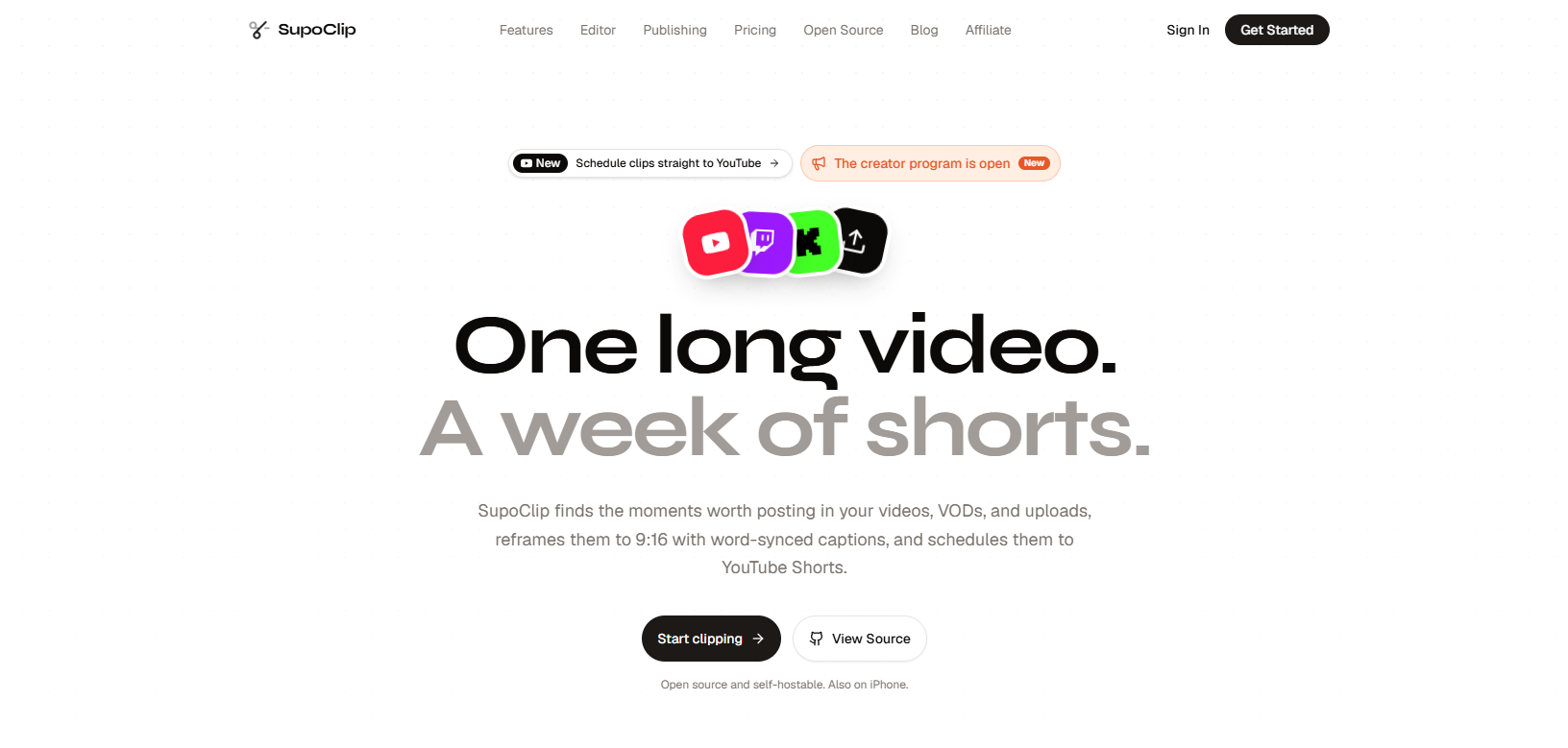
SupoClip is an open-source AI clipper released under the AGPL-3.0 licence. You give it a podcast, talk, YouTube, Twitch or Kick video, or an upload, and it finds the most clip-worthy moments, scores them and renders vertical 9:16 clips. The software is free and unmetered on your own hardware, though you supply API keys for transcription and the language model. You can run it yourself or use the hosted web app and iOS app. It is the closest thing on this list to a like-for-like OpusClip that you control yourself.
How it works
Free and self-hostable: It is AGPL-3.0 licensed and runs from a Docker Compose setup. The repository showed about 2,000 stars and 461 forks on 30 October 2026.
Clip selection with scores: An LLM (Gemini, GPT, Claude or a local Ollama model) picks the 3 to 7 most clip-worthy segments from the transcript, and each clip gets hook, engagement, value and shareability scores.
Vertical output: Face detection keeps the speaker centred in 9:16, subtitles are word-synced with caption templates and animation styles, and an AI-written hook title is burned into the opening seconds.
Publishing and feedback: You connect your own YouTube, TikTok and Instagram accounts to post or schedule, and performance data flows back to steer future clip selection.
MCP server and API: An MCP server lets clients such as Claude and Cursor drive it, and a REST API is documented.
Where it falls short
You run it: Setup needs Docker, an AssemblyAI key for transcription and one language-model key, and a fully local setup with Whisper and Ollama takes extra steps described in its self-hosting tutorial.
Licence and quality: SourcePulse flags that AGPL-3.0 can complicate use inside closed-source products, and we have not tested its clip quality.
Pricing and access
Self-hosted: $0 with Docker, plus transcription and model API costs.
Hosted web app and iOS app: Available, pricing not checked.
Licence: AGPL-3.0.
Who it fits well
Developers and technical marketers who want no meter or watermark and are comfortable with Docker.
OpusClip alternatives compared side by side
Ease of use reflects how much setup and tracking each tool needs, judged from its workflow rather than our own testing.
Tool | Best for | Ease of use | What limits usage | Free plan | Finds clips automatically | Runs on |
|---|---|---|---|---|---|---|
Vizard | Podcasters and YouTubers who want OpusClip's workflow | Easy: upload or paste a link, trim by transcript | Credits, about one per source minute | 60 credits, 720p, watermark | Yes, with virality scores | Web app |
Submagic | Captions and polish on clips you already have | Easy: caption-first editor | Videos per member, minutes per video, Magic Clips runs | 3 free videos to try | Yes, through the Magic Clips add-on | Web app |
CoAnimator | Demos, tutorials and narrated videos built by an AI agent | Easy: you direct an agent with its own subscription | Nothing, since renders run locally | Free for life, 720p, watermark | No | Desktop app for macOS, Windows and Linux |
Klap | Predictable clip counts and long source videos | Easy: upload or paste a link | Clips per month and source length | One free video, watermarked | Yes | Web app, with an API |
Descript | Editing the whole episode, then clipping | Medium: document-style editor, two meters to track | Media hours and AI credits, per seat | 60 media minutes, 720p, watermark | Partly, as one feature of an editor | Desktop and web |
Riverside | Remote interviews and podcasts | Medium: record in its studio first, then clip | Plan tier and monthly recording hours | Free plan with 720p, watermark and Magic Clips | Yes, through Magic Clips | Browser studio and mobile apps |
SupoClip | Self-hosting with no meter or watermark | Technical: needs Docker and API keys | Your own hardware and API costs | Free software, plus your own API costs | Yes, with virality scores | Self-hosted, hosted web app and iOS |
Which OpusClip alternative should you choose?
Start from the video you need to make, not the tool. Match your job below, then test one real episode before you pay.
The closest like-for-like swap: Vizard matches OpusClip's workflow and adds a transcript editor and Hindi subtitles. Run one episode through its free plan to see how many minutes a credit covers.
Limits counted in clips: Klap sets limits by clips and source length, so the bill is easier to forecast. Basic caps sources at 45 minutes, so longer episodes need Pro.
Captions on clips you already have: Submagic puts animated captions, zooms and brand templates first. Check how its length caps and Magic Clips runs fit your episodes.
Editing or recording the full episode: Descript edits by transcript, and Riverside records remote guests and clips in the same place. Check Descript's media-hour and AI-credit caps, and confirm Riverside's current plans.
Hosting it yourself or building with an agent: SupoClip is a free self-hosted clipper that needs Docker and API keys. CoAnimator has an AI agent build, edit and render videos locally, but it will not find clips in long recordings.
For Hindi content, test Vizard or Submagic on your own audio first. Whichever you pick, run one 30 to 60 minute episode through the free plans of your top two choices and compare usable clips, caption fixes and what each free plan strips out. If you publish to several platforms, workflow automation tools such as n8n can handle scheduling and hand-offs, and n8n can be self-hosted.
Questions
Frequently asked questions
Is there a free OpusClip alternative without a watermark?
Yes, with limits. Vizard's free plan gives 60 credits a month at 720p with a watermark, close to OpusClip's own free plan. SupoClip is free, watermark-free software, and you pay only for the transcription and model APIs it calls. Paid plans from OpusClip, Vizard, Submagic and Descript remove the watermark, and CoAnimator removes it with its paid licence.
Is there an open source OpusClip alternative on GitHub?
Yes. SupoClip is an AGPL-3.0 project on GitHub with a Docker Compose setup, a hosted version, a REST API and an MCP server. It needs an AssemblyAI key and one language model key by default, and a fully local setup with Whisper and Ollama is documented. We have not tested its clip quality, so run a sample episode before relying on it.
Does OpusClip support Hindi, and what can I use instead?
OpusClip does not support Hindi at this time. Vizard has a Hindi subtitle tool that claims over 97 percent accuracy and translation into 28 other languages, though that is the vendor's own claim. Submagic is reported to support Hindi among 50 plus languages, so check it with your own audio, especially if you mix Hindi and English in one sentence.
Is OpusClip worth it, and is it safe to use?
It is worth it if you publish a few English episodes a month and the clip finder saves you editing time. Weekly long-form shows push you to Pro, as the credit arithmetic above shows. On safety, OpusClip may use non-enterprise users' data to improve its models, so read the current terms before uploading confidential footage.
What is the cheapest OpusClip alternative?
On sticker price, Submagic Starter at $12 per member a month billed yearly and Klap Basic at about $14 billed yearly sit just below OpusClip Pro's $14.50 on annual billing. They limit usage differently, since Submagic Starter caps videos at 2 minutes and Klap Basic caps sources at 45 minutes. SupoClip has no software fee and CoAnimator has a free tier, but neither is a like-for-like paid clipper.
Conclusion
Clip detection no longer separates these tools. Most now find moments, score them and reframe video for vertical, so what you should compare is billing, language support, file ownership and distribution.
Over the next year, expect three shifts. Language coverage will decide more purchases as creators outside English-first markets stop accepting tools that skip their language. Self-hosted clippers will keep closing the quality gap and put pressure on per-minute pricing. AI agents will take over more of the work around the clip, from scripting to rendering and publishing, which favours tools with open APIs and plain project files. These are our expectations, not guarantees.
Choose the tool that fits how you publish today, and favour one you can leave, with exportable clips, an API and files you own. If a clipper you rely on is missing, submit it to the WebTechOS index for a possible full review.
WebTechOS accepts no payment for coverage, placement or scores. Where a piece references pricing, it reflects published list rates at the date shown.
Keep reading
All insights →9 Best AI Podcast Editing Software in 2026
Compare nine AI podcast editing tools for transcripts, audio cleanup, multicam video and social clips. See current pricing, limits and best-fit use cases.
Progressive Web Apps: Offline First Strategy & Service Workers
Build a PWA that works offline for real: caching strategies, service worker code, IndexedDB sync, iOS limits and a readiness scorecard.
I tried 7 Discord alternatives to find the best platform (2026)
We tested 7 Discord alternatives, from Slack to Google Chat, as both an admin and a member. See which platform actually fits your community in 2026.
The Best Customer Service Automation Platforms for Mid-Market Teams
Compare the best customer service automation platforms for mid-market teams: features, trade-offs, and how to choose one that scales.